
 AutoInstall SSL®
Your last SSL install, ever. Never worry about certificate expirations again with 100% automated SSL/TLS with certificate deployment, installation, and renewals on Windows and Linux Servers.
All GeoTrust SSL Certificates Include Automation
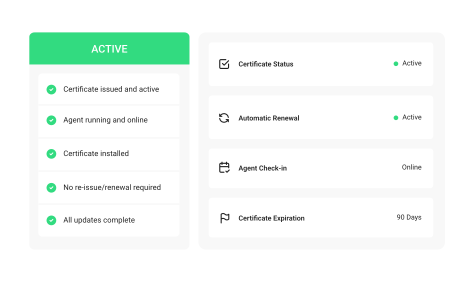
AutoInstall SSL® at a glance
The days of slow, complicated SSL installations (that might have broken your web server) are over. AutoInstall SSL® is the fastest, easiest, and most affordable way to install your certificates.

SSL certificate automation tool for hands-off HTTPS
AutoInstall SSL® takes care of installations, re-issues, and renewals so the certificate on your website never expires.

Automated SSL renewals - avoid downtime from expired certificates
AutoInstall SSL® automatically checks your certificate every day. With automatic renewal checked, your certificate is renewed 28 days before expiration.

Easy setup without the wait
No more copy and pasting CSRs and validation values, finding the right directory, waiting for the CA to check the validation value, editing configuration files... its “click and done.”

Works in a wide variety of server/hosting environments
Use the provided AutoInstall SSL® agent or the ACME protocol to automate certificates in your environment. Support for Apache, NGINX, IIS, LiteSpeed, cPanel, Kubernetes, Docker, and more.
 Friends don’t let friends install SSL manually
With AutoInstall SSL®, the entire process is automated for you
You used to have to copy and paste CSRs and validation values, figure out the right directory to place validation files in, wait for the CA to fetch the validation value, edit configuration files, and many other manual steps...
SSL Automation FTW:
"AutoInstall SSL® is the only way I install SSL now."
- Bill
- Generates the CSR
- Stores the key securely
- Places the validation value (supports file and DNS)
- Validates the domain
- Downloads the certificate
- Installs the certificate
- Verifies the certificate
- Renews certificates before they expire
A step-by-step look at AutoInstall SSL®
Put your SSL/TLS certificate on auto-pilot
Install the agent
Copy/paste the provided terminal command to download and install the AutoInstall SSL® or ACME agent to your Linux or Windows server.
Run the install certificate command
Copy/paste the certificate install command with your token and confirm your domain name to initiate the fully automated installation process.
The certificate is installed
AutoInstall SSL® generates the CSR, submits the certificate request, completes validation, and installs the certificate.
All certificate updates are now automated
Props to you—you're done. AutoInstall SSL® automatically takes care of certificate updates and renewals, including installing the updated certificate on your server.
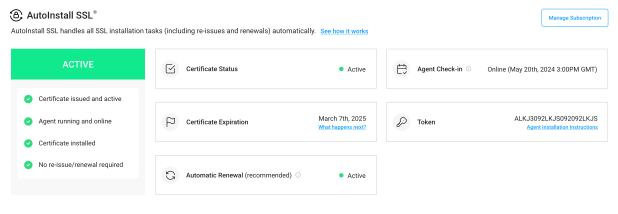
Things to know about using AutoInstall SSL®
AutoInstall SSL® automates your SSL certificate using either the AutoInstall SSL® agent or the ACME
protocol, depending on your setup. Here are the technical details.
AutoInstall SSL® is currently available for:

Windows
Windows Server 2016, 2019, 2022, and 2025 Web Servers: IIS
Linux
Web Servers: Apache, NGINX
ACME
Supported by 50+ popular environmentsTechnical Requirements & Limitations:
AutoInstall SSL® agent requires root/admin access to the Windows or Linux server (typically via SSH or RDP). This could be a dedicated server, VPS hosting, or cloud servers (like AWS EC2, Azure VM, GCP Compute, DigitalOcean Droplets, etc.)
ACME may also require elevated permissions, depending on your hosting environment and the ACME client used.
- AutoInstall SSL® agent is available on single domain and wildcard DV certificates
- ACME automation is available on all SSL certificates (DV/OV/EV, single domain, wildcard, multi-domain)